Make your surveys Section 508 compliant
Design survey experiences that meet accessibility standards, such as WCAG 2.1 AA.
What are 508-compliant surveys?
Section 508 is a federal law requiring all electronic and information technology to be web accessible by people with disabilities.
Our online survey tools help you create surveys, questionnaires, quizzes, and polls that are accessible to people with a diverse range of hearing, movement, sight, and cognitive ability.
How does WCAG 2 affect online surveys
Web Content Accessibility Guidelines (WCAG) are a single shared standard for web content accessibility that meets the needs of individuals, organizations, and governments internationally.
See how to make common survey elements such as formatting, themes, questions, and page titles meet WCAG 2 conformance level AA.
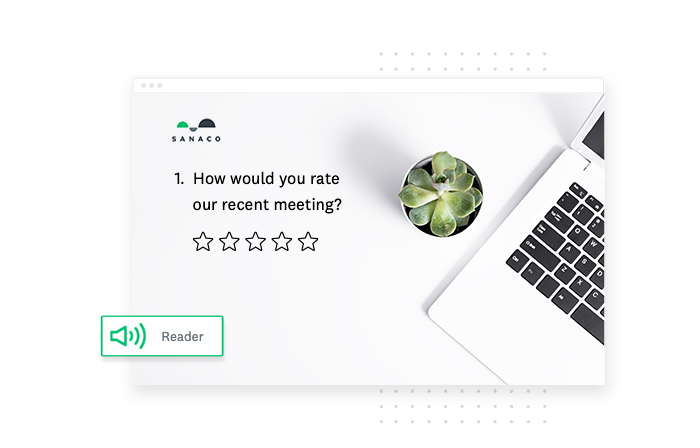
SurveyMonkey supports VoiceOver and TalkBack screen readers.
Create surveys that people can’t wait to take
Meet WCAG 2.1 AA accessibility standards and 508 compliance with beautiful, professional-looking surveys.
- Use an accessible survey theme with the right amount of color contrast and brightness
- Change star rating icons to black for better contrast
- Add accessible survey question types such as date/time and file upload
- Enrich your logos, images, and videos with alt text for screen readers
- Provide closed captions for your videos, so all the dialogue is visible
- If you use animated content in your survey, check that it meets the time refresh requirements
How you can help make your surveys accessible
Here are some best practices to ensure online surveys are more user friendly to survey takers using assistive technology.
- Make your questions concise. Long questions with unnecessary information can become tedious to listen to. Don’t risk your respondents forgetting the question or previous answer options before reaching the end of the list of possible answers.
- State the number of answer choices. State how many answer choices respondents will need to select when creating multiple answer question types. This helps clarify what respondents should do while they listen to the list of answer options. For example, “Please select no more than 3 options.”
- Use the classic survey format. The classic survey format is best for people using a screen reader to take a survey. For more tips, visit our Accessible Surveys Checklist.
리소스 더 살펴보기


시장 조사 솔루션으로 성공적인 브랜드를 출시하고 트렌드를 신속하게 파악하세요
SurveyMonkey 시장 조사 플랫폼이 양질의 데이터 수집에 어떻게 도움이 되는지 알아보세요. 온라인 패널 및 목적에 맞게 구축된 솔루션을 둘러보세요.

더 나은 온라인 설문지 작성 방법
SurveyMonkey가 제공하는 팁과 요령으로 더 훌륭한 온라인 설문지를 작성하세요. 오늘 올바른 질문을 묻고 필요한 답변을 받을 수 있습니다.